Connect ComplyDog to Claude or ChatGPT and ask about your data requests, cookie banner and subprocessors in plain English. Read-only, signed in with your ComplyDog account, and you choose exactly what it can see.
Your assistant pulls the facts from ComplyDog, then helps you write the email, update or reply you were about to send.
A prospect asks for your subprocessors, where they’re based, your DPA and who handles privacy. Get it all in one answer and draft the reply.
Ask which data requests are due, whether anything is overdue and what the weekly cookie scan found, before you open a single dashboard.
Launched a new campaign or tool? See whether a new cookie is firing before consent, and which vendor set it.
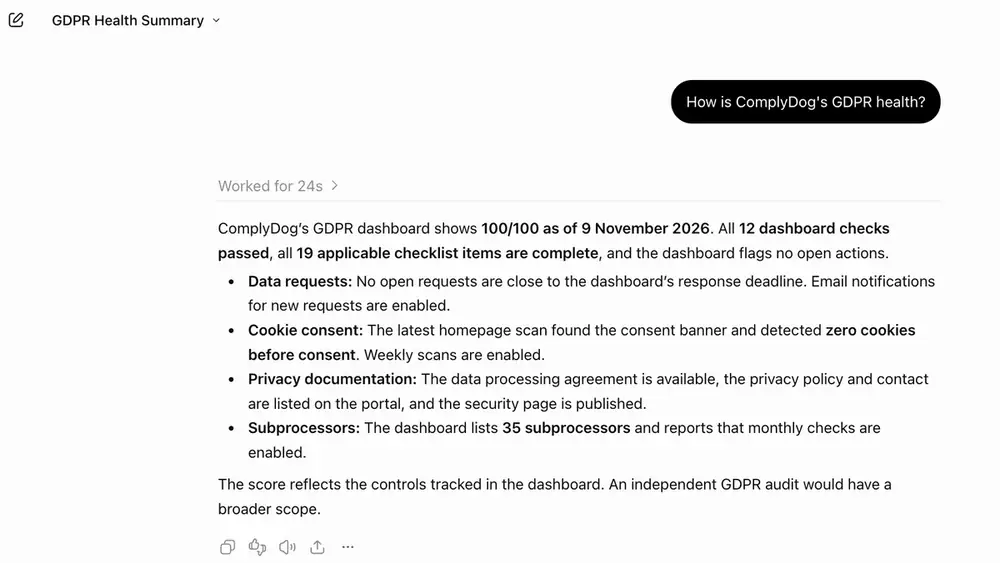
Turn your health score and open actions into a short, accurate status paragraph in seconds.
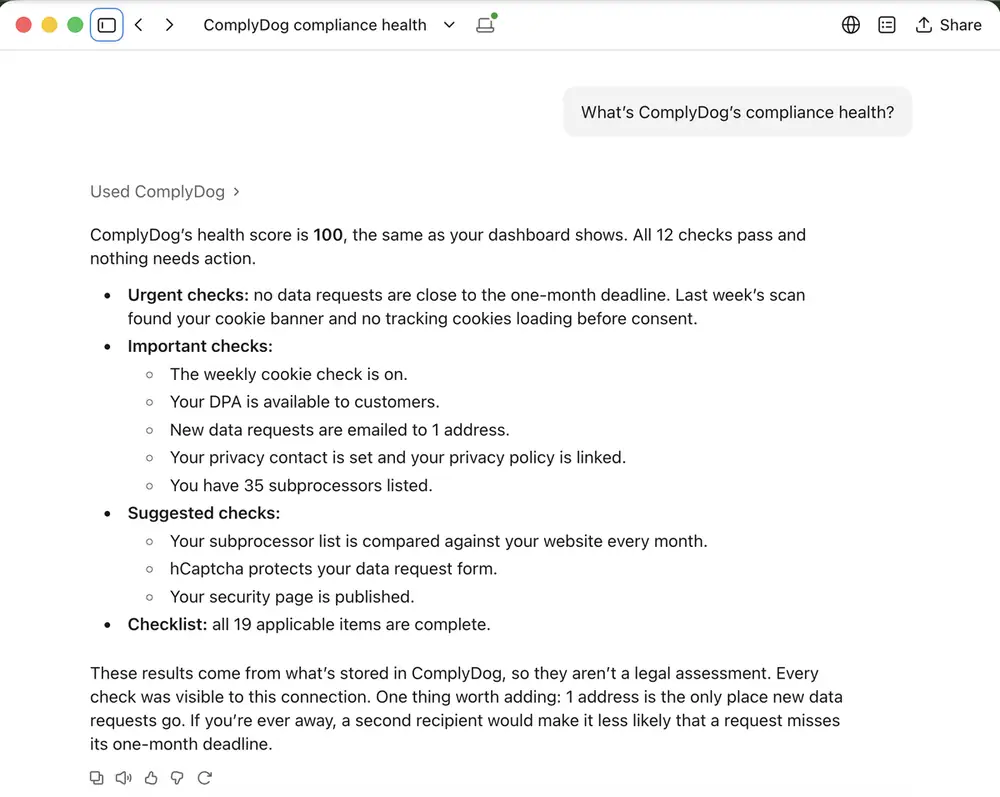
Get a quick picture of where you stand and what still needs action, with every check listed.
Sales and founders can ask too, and each person only sees what their ComplyDog role allows.
Your assistant looks up the answer in ComplyDog when you ask. The answers are facts from your records, not legal advice.
Type, status and deadline for every open request, so nothing slips past the one-month limit.
The weekly scan of your site: whether a banner was found, which cookies were set before consent and by which vendors.
Name, purpose, country and type of service for each subprocessor on your list.
The same score and checks as your dashboard, with everything that needs action and your checklist progress.
Your company profile: privacy contact, policy links, DPA setup and privacy portal.
A short status paragraph drafted from your health score and open actions, ready to paste.
Company profile
Sees: name, website, privacy portal, policy links, privacy contact, DPA setup
Never: login details or billing
Cookies
Sees: cookie categories, Google Consent Mode, weekly check, cookies found before consent (names and vendors)
Never: cookie values or your visitors’ data
Subprocessors
Sees: name, purpose, country, type of service, required or optional, shown on your portal or not
Never: your contracts or documents
Compliance summary
Sees: the same health score and checks as your dashboard, each passing or needing action
Never: a legal opinion: just what’s in ComplyDog
Data requests (only if you switch it on)
Sees: type, status, received and updated dates, deadline, overdue
Never: names, email addresses, where people live, or messages
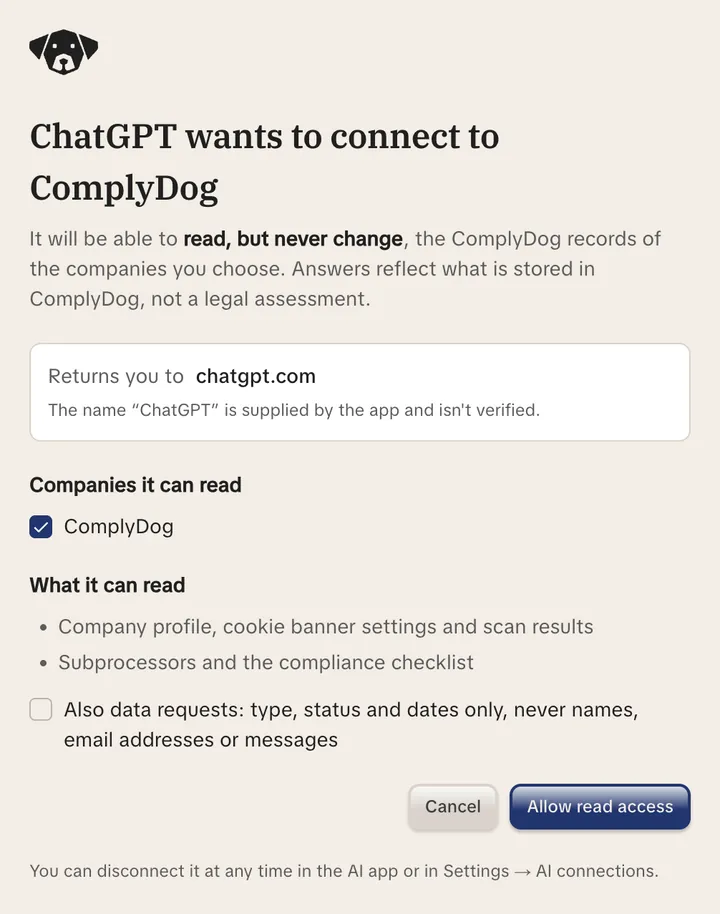
Your assistant can look, never change. It can’t edit settings, answer requests or send emails.
You sign in with ComplyDog and approve access on a consent screen. The assistant only sees what your role can see.
Tick which companies to share. Data requests stay off unless you switch them on.
Revoke access or remove a team member and it stops working on the very next question.
Standard OAuth 2.1 sign-in. Short-lived tokens, stored only as hashes.
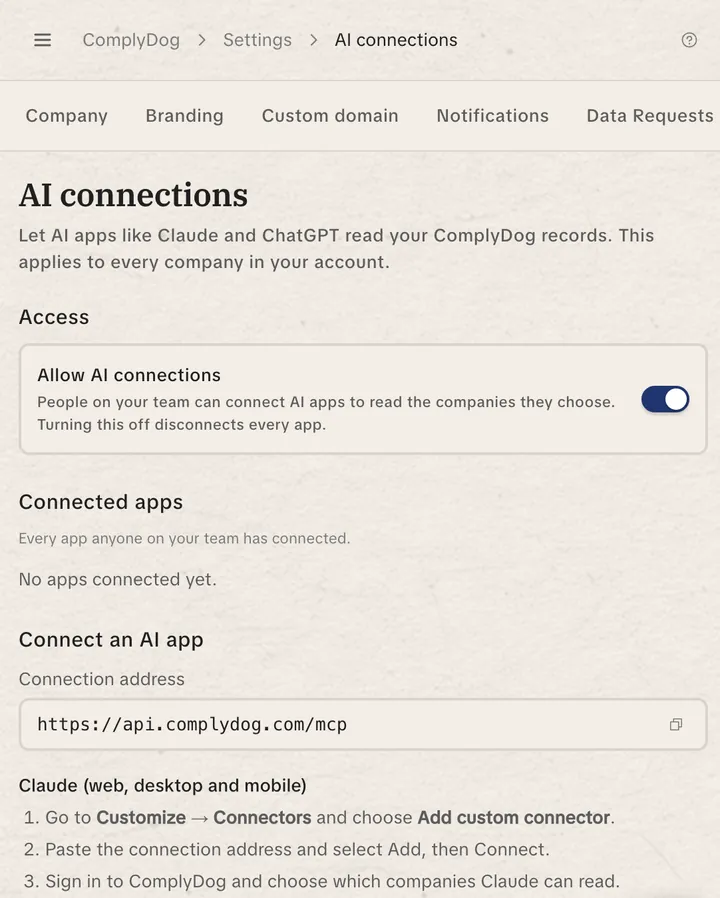
Your account owner turns on AI connections in Settings. Turning them off disconnects every app at once. Every question is logged.
ComplyDog stays hosted in Frankfurt. Answers go only to the AI assistant you connect, under your own agreement with that provider.
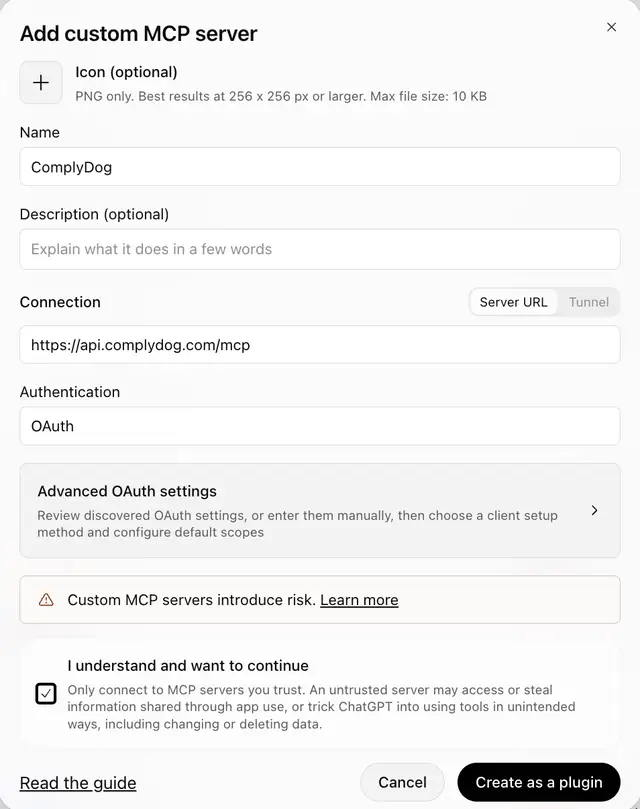
Works with Claude, ChatGPT and other AI apps that support MCP connectors.
Your account owner switches on AI connections in Settings → AI connections.
Add a custom connector in Claude or ChatGPT with this URL: https://api.complydog.com/mcp
Sign in, pick your companies and choose whether to include data requests. Done.