
Most compliance questions are small. When is that access request due? Did this week’s cookie check pass? Which of our subprocessors are outside the EU? Each one still means logging in, finding the right page and reading it.
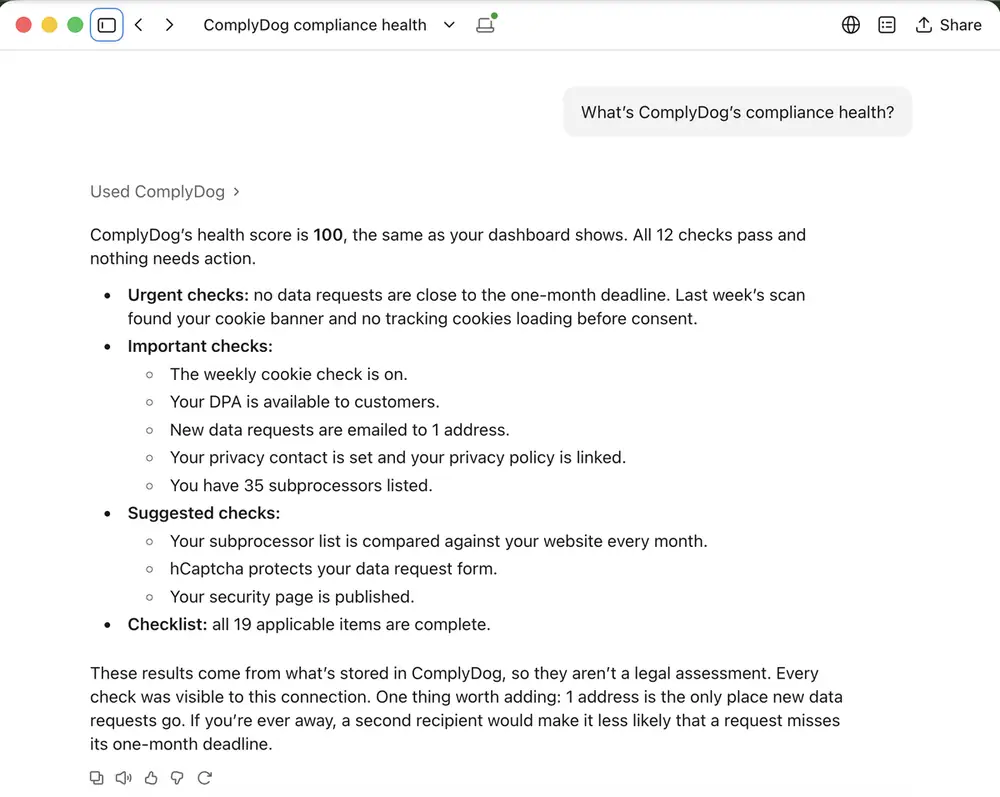
Now you can just ask. ComplyDog has an MCP server, so you can connect it to Claude or ChatGPT and ask about your GDPR compliance in plain English. It’s included on every paid plan, and it’s read-only by design.
What is MCP?
The Model Context Protocol (MCP) is an open standard for connecting AI assistants to the tools you already use. Instead of copying information from one app into a chat, the assistant looks it up for you when you ask. Claude, ChatGPT, Cursor and many other AI tools support it.
ComplyDog’s MCP server gives your assistant a safe, read-only view of your compliance records: your company profile, cookie banner and weekly scans, subprocessors, compliance health score and, if you allow it, the status of your data requests.
Why we built it
At a small company, GDPR is rarely a big project. It’s a stream of small questions, usually asked while you’re in the middle of something else:
- A prospect’s security questionnaire asks for your subprocessors, where they’re based, your DPA and who handles privacy. The assistant pulls it all from ComplyDog and drafts the answers.
- Monday morning: which data requests are due this week, is anything overdue, and did the weekly cookie scan find something new?
- After a website or marketing change: is a new tracking cookie firing before consent, and which vendor set it?
- Board or investor updates: a short status paragraph from your health score and open actions.
- Audits and due diligence: a quick picture of where you stand and what still needs action.
Because the answers arrive inside Claude or ChatGPT, the assistant can go straight on to the next step: drafting the email, filling in the questionnaire or writing the update. And teammates who don’t live in the ComplyDog dashboard, like sales, can get answers too, limited to what their ComplyDog role allows.
What you can ask
Here are three questions we ask about ComplyDog’s own compliance every week.
“Which data requests are due in the next 7 days?”
The assistant lists each open request with its type, status and deadline, so nothing slips past the one-month limit for data subject access requests. It never sees who sent a request: no names, emails or messages.
“What did this week’s cookie check find?”
ComplyDog scans your site every week. The assistant reads the latest result: whether your cookie banner was found, which cookies were set before consent and which vendors set them.
“Write a short compliance update for our board.”
The assistant pulls the same health score and checks you see in your dashboard (data requests on time, cookie banner, DPA, privacy policy, subprocessors, breaches and checklist progress) and drafts a paragraph you can paste into an update.
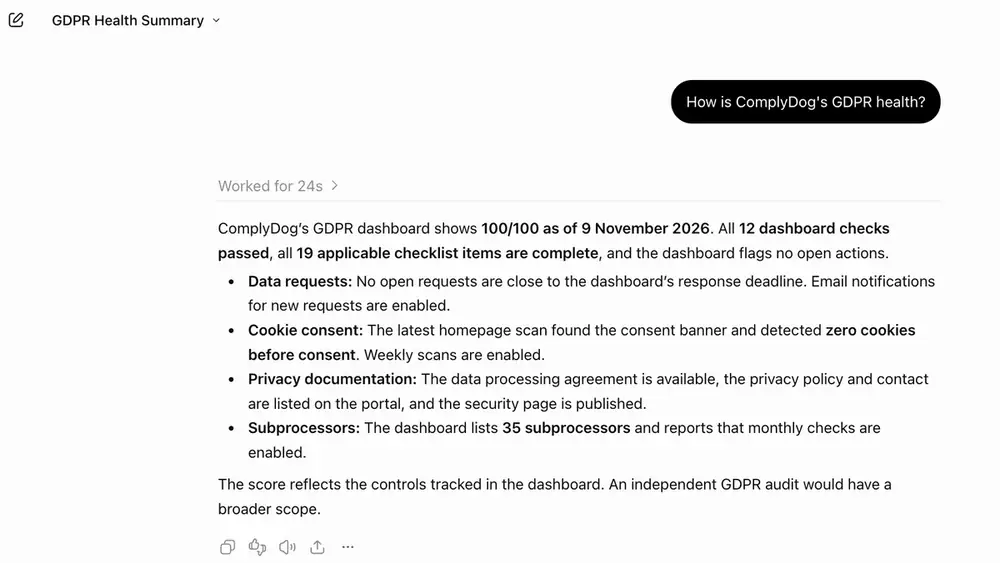
You can also ask about your subprocessors, your privacy contact and policy links, or your cookie categories and Google Consent Mode setting. The answers come from the records stored in ComplyDog. They are facts, not legal advice.
Built for data you care about
Connecting an AI assistant to compliance data should make you careful. It made us careful too, so here is exactly how it works.
| Concern | How ComplyDog handles it |
|---|---|
| Can it change anything? | No. Every tool is read-only. It can’t edit settings, answer requests or send emails. |
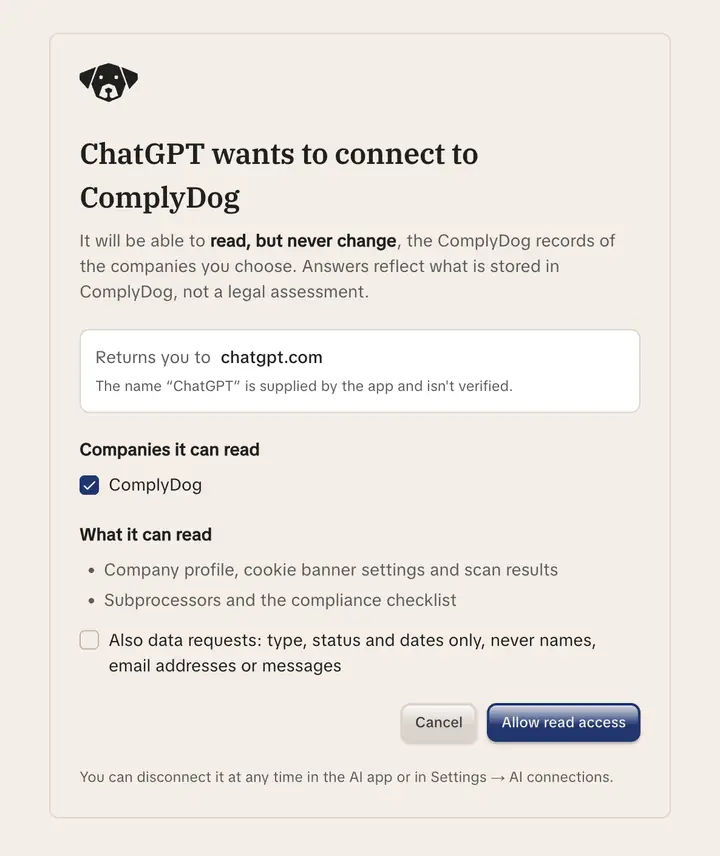
| Who decides what it sees? | You. You sign in with your ComplyDog account, pick the companies to share and approve access on a consent screen. It only sees what your role can see. |
| Customers’ personal data | Never reachable. Data requests are off unless you switch them on, and even then the assistant sees only type, status and dates. |
| Revoking access | Access is checked on every question. Revoke an app in Settings → AI connections, or remove a team member, and it stops on the next one. |
| Sign-in | Standard OAuth 2.1, no API keys to leak. Tokens are short-lived and stored only as hashes. |
| Oversight | Off until your account owner turns it on. Turning it off disconnects every app at once. Every question is logged with who asked, from which app and when. |
ComplyDog itself stays hosted in Frankfurt. Answers go only to the AI assistant you connect, under your own agreement with that provider. Whether the provider may use your conversations for training depends on your plan and settings with them, so check those before you connect.
How to connect ComplyDog to Claude or ChatGPT
-
Turn it on. Your account owner switches on AI connections in Settings → AI connections.
-
Add ComplyDog to your assistant. In Claude or ChatGPT, add a custom connector with the URL
https://api.complydog.com/mcp. -
Approve access. Sign in with ComplyDog, choose your companies, decide whether to include data requests, and approve.
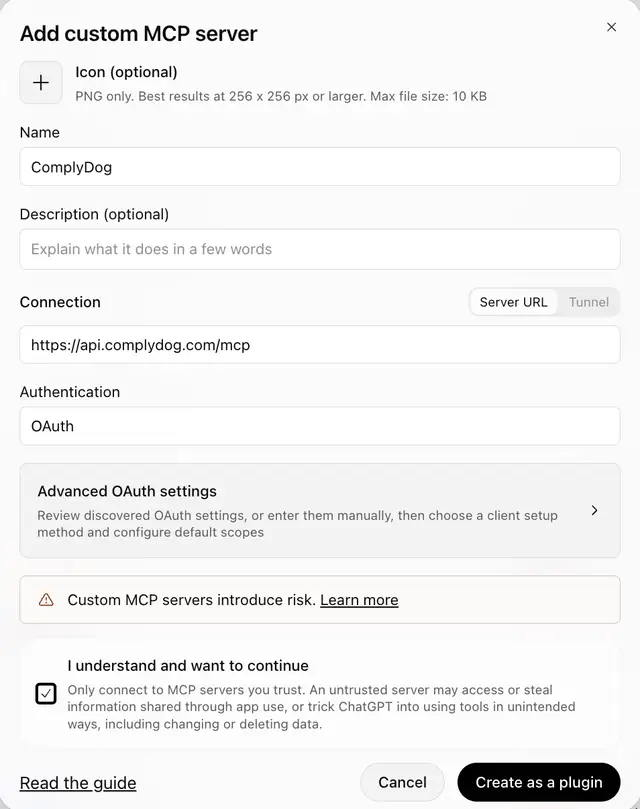
That’s it. Start a new chat and ask your first question. To disconnect, revoke it in Settings → AI connections or remove the connector in your assistant.
What’s next
This first version answers questions. We’re watching how you use it before deciding what to add next. If there’s a compliance question you wish it could answer, tell us.
See everything it can do on the ComplyDog MCP page, or start your 14-day free trial and try it on your own site. No credit card required.
